The MINT application comes in several versions tailored to different use cases and deployment scenarios. Each version leverages the same core architecture but is optimized for specific operational contexts and user roles.
4.4.1. Dealer-MINT
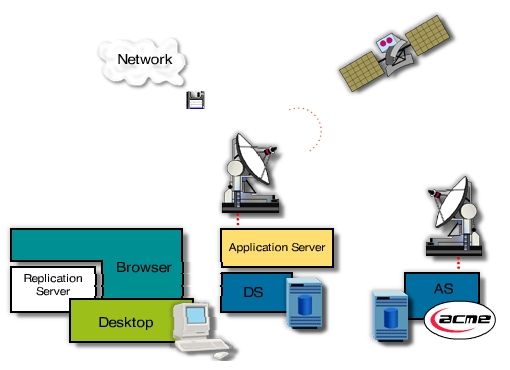
This is the full-featured version of the MINT-Application that can be used to access and configure the system.
To use all possibilities, the sales consultant has to log-on and identify himself. This version uses all layers.
Some of the available functions are:
- System configuration
- User administration
- Authenticated identification (password log-on)
- Pre-configuration of vehicles
- Edit the dealer corporate identity
- Edit dealer specific accessories
The following sales process (negotiation phase) describes a typical pre-sales operation: After the sales consultant has logged onto the system, a well-known customer asks for some information.
The sales consultant enters the name of the customer and reloads the last configuration, e.g. stored by the customer himself, using the showroom or public kiosk version. After that, the sales consultant and customer discuss and check additional accessories and features supported by the available multimedia material. The new vehicle configuration data is entered and validated by accessing the ACME system through the Application Server. The vehicle locator reveals that the vehicle (or a similar one) is neither in stock nor on the production list in the near future, but the system has stored this request and will alert the sales consultant when this changes, so he can contact his prospect.
4.4.2. Laptop Dealer-MINT online
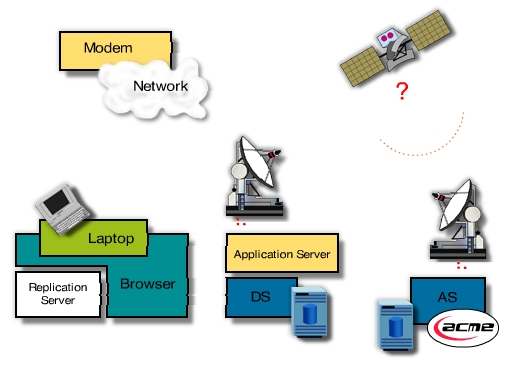
This version is mostly for the closure phase of the sales process and has special features to access pre-defined general or personal configurations. It offers most of the Dealer-MINT functions and is optimized to work even with slow modem network connection. To reduce network traffic the MMOs will be accessed directly on the laptop by using the Replication Server. The updating process of huge files can be suppressed, to speed up the sales process. When the network is available, the online laptop MINT can be used just as any other client computer at the dealer site. To connect to the dealer systems it uses SLIP or PPP capabilities of the operation system.
4.4.3. Laptop Dealer-MINT off-line
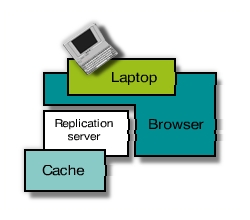
This version is also for the closure phase of the sales process. When the Replication Server cannot establish a permanent network connection it automatically switches to off-line mode. In this mode access statistics, configurations and orders are cached within the replication server until the network is available. The process logic is controlled by a reduced Application Server, that is embedded within the Replication Server. Orders placed in this mode are not confirmed until there is a connection to the dealer or ACME systems.
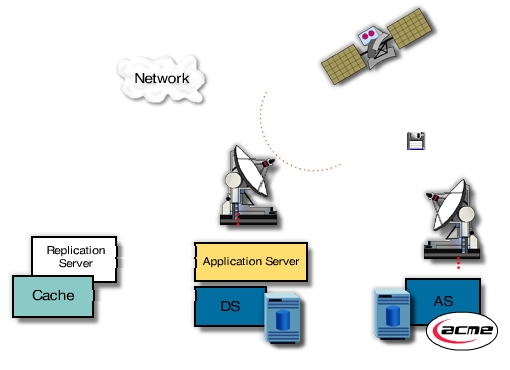
When the Replication Server can reestablish a permanent network connection it flushes all data stored in off-line mode. Orders are checked and validated. Statistical information is forwarded and problems resulting from unresolvable order constraints are signaled to the dealer and ACME systems and if possible also to the customer.
4.4.4. Public Kiosk-MINT
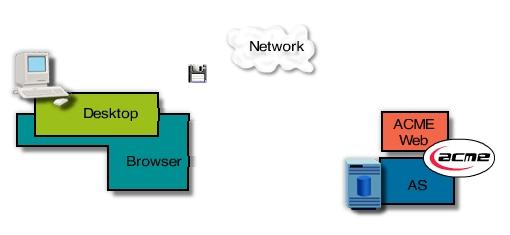
The public kiosk version supports the information phase of the sales process. It offers the same functions as the Dealer-MINT versions, but without sophisticated editing and negotiation features. The customer can identify himself, if he is willing to, and browse around. In case of an anonymous access, statistic information and configurations are stored but cannot be accessed by the customer later on. The customer can get a standard non-negotiated quotation for his part-exchange vehicle. Even when the customer refuses to identify himself, the system can gather data and assign this to an anonymous default customer. This version can be used both for the dealer showroom, as for public areas or the internet.
For the requested public kiosk version there are two possible access ways depending on a central or distributed approach. The central approach would require an application server with reduced functionality, which makes no use of dealer data. It would be maintained centrally by ACME and would offer only the required configuration possibilities. The configuration could also be passed to a dealer for further handling of the potential customer. Another possibility would be to allow direct access from the Internet to the dealer system.
As, for all other versions, data is forwarded to the Application Server as soon as possible. This assures, that the sales consultant and ACME can use the statistical information and customer data to sell more vehicles.
This section is in development as part of the digital archaeology restoration project.
The complete content for MINT Versions will be expanded in a future update.